Structure every site
Organise buildings into the real floors, rooms and shared spaces your team services.
MarkDuty helps cleaning companies, keyholders and other on-site service teams manage sites, complete area-specific checklists, capture service evidence, and give clients a clear record of completed work.
Start with one secure company workspace
Hosted in Norway
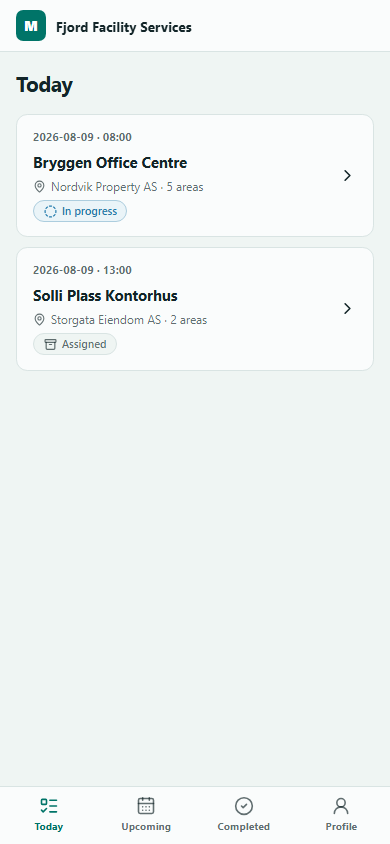
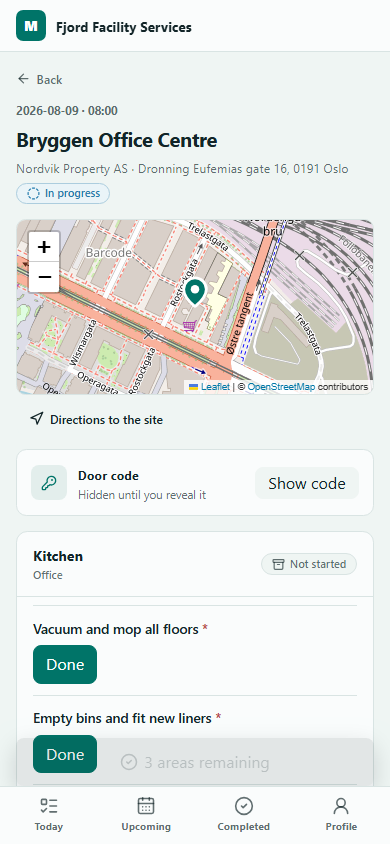
One operational record
Bring the instructions, progress and evidence for each service visit together — without adding another messy admin process.
Organise buildings into the real floors, rooms and shared spaces your team services.
Give each area a focused checklist so your team knows exactly what completion means.
Connect evidence and exceptions to the exact area, visit or reported problem they document.
How it works
MarkDuty follows the way on-site service is actually delivered, keeping every step connected and understandable.
Set up your workspaceAdd client sites, define serviceable areas and assign the right requirements.
Your team works through a clear, area-by-area record on any screen size.
See completed requirements, evidence and exceptions in one service history.
For service companies
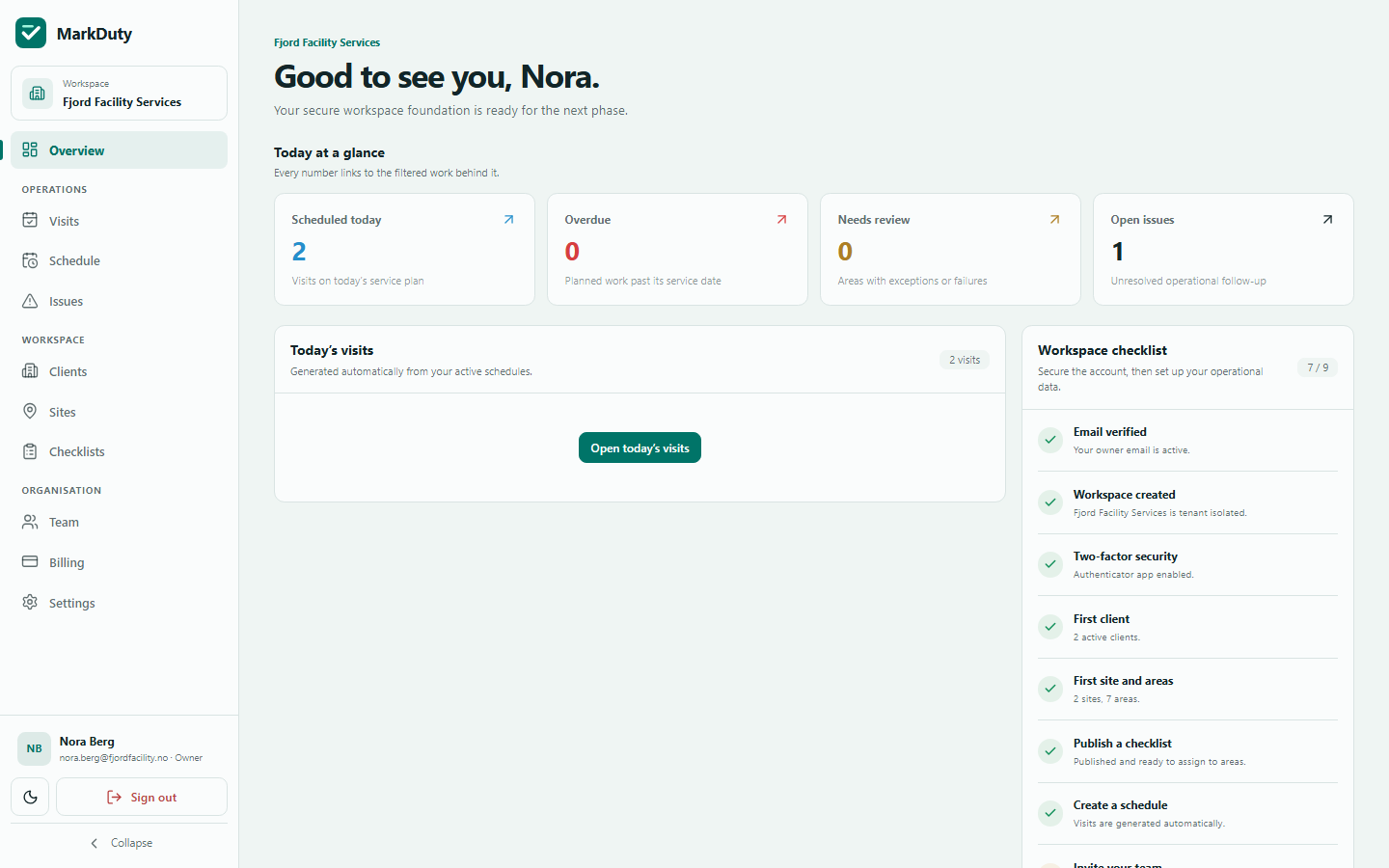
Move from scattered messages and end-of-shift guesswork to a shared operational view. Managers can focus attention on work that is late, incomplete or needs review.
Client transparency
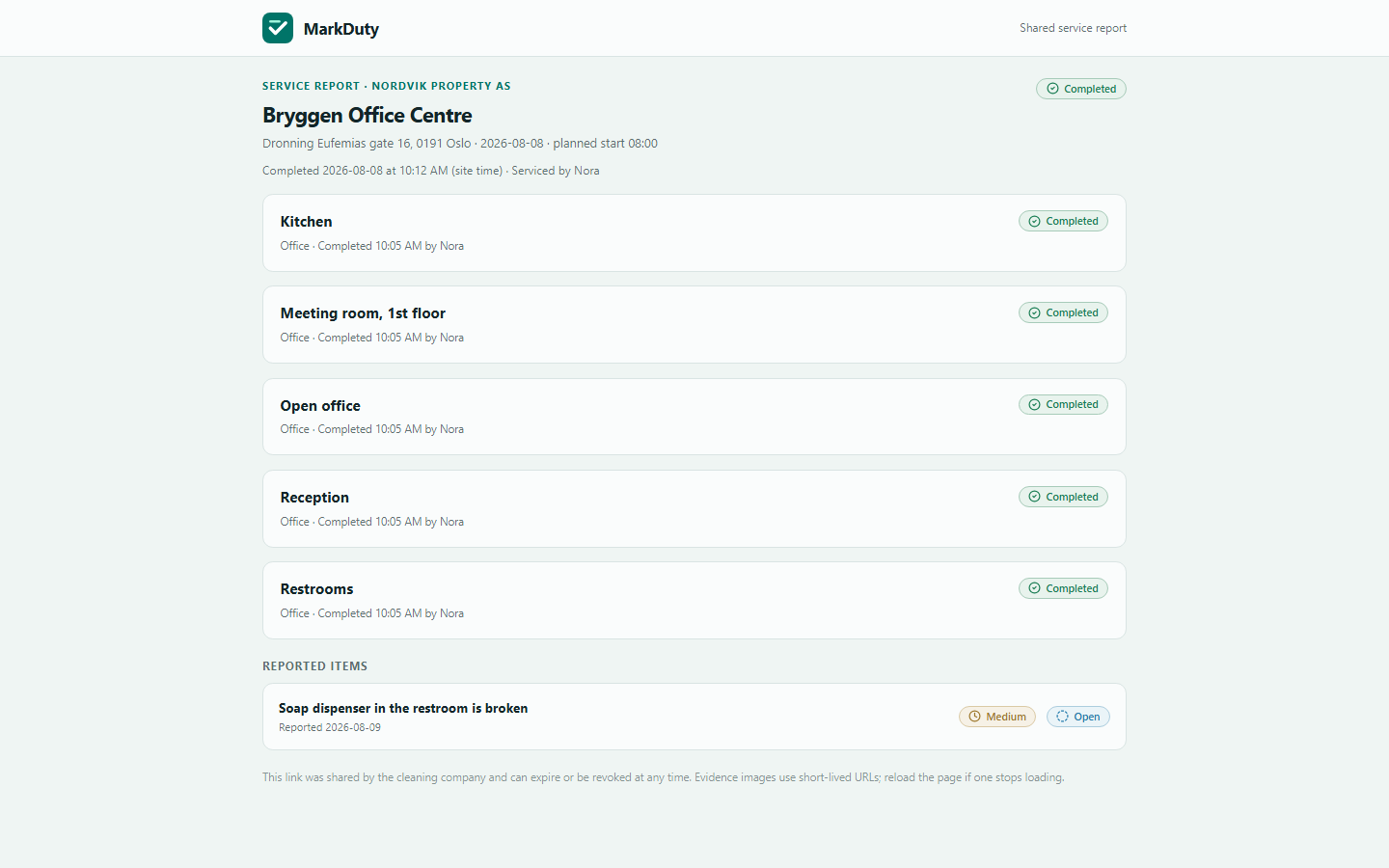
A client-safe service report shows what was completed, area by area, with the evidence that supports it — including photos of anything found broken, reported the same visit. Share it as a link that needs no login.
Presence and evidence
Presence checks and service evidence support confidence. MarkDuty keeps their context clear without claiming they prove more than they do.
Connect an authenticated team member’s scan with the permitted site, visit and time.
QR supports presence — it does not authenticate a person by itself.Request a location only at explicit verification points when a company enables it.
No continuous employee location tracking.Keep photos with the exact area they support — or the reported problem they document, like a broken fixture found mid-visit.
Client visibility remains controlled.Security and privacy
Every tenant’s rows are separated with PostgreSQL row-level security, so isolation is enforced by the database itself, not only by application code. Changes are written to an append-only audit log, evidence photos are stripped of location metadata and stored privately behind short-lived links, and sign-in supports authenticator-app two-factor codes.
Languages
Cleaning and on-site service teams are rarely monolingual. Everyone picks their own language instead of the company picking for them — and it covers the whole product: the dashboard, the field app, the client portal and every account email.
Pricing
Your team and your clients’ portal access are always free. Start with one client at no cost, and upgrade when you win the next one.
€0
Your first client, fully managed.
Most popular
€29/month
or $29 · NOK 300 per month
€23/month billed yearly.
€69/month
or $69 · NOK 800 per month
€55/month billed yearly.
€149/month
or $149 · NOK 1,700 per month
€119/month billed yearly.
Every paid plan starts with a free trial of 14 days. Pay in EUR, USD or NOK. Yearly billing saves 20%. No setup fee, no contract, cancel any time. Prices exclude VAT. Need more than 75 sites? Talk to us about enterprise.
Get started